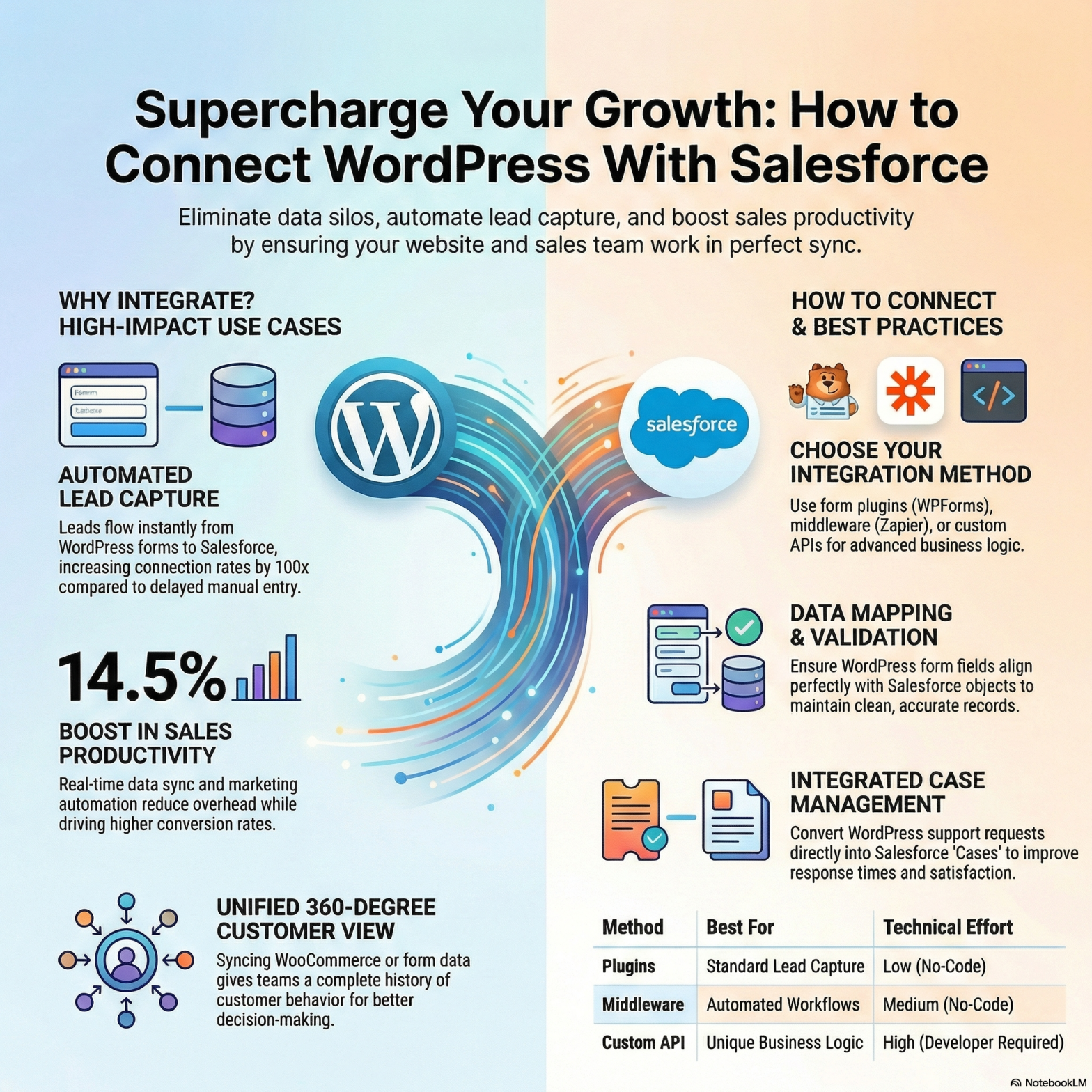
In today’s digital world, businesses rely on tools that help them manage customers better and grow faster. Two such tools are WordPress and Salesforce. WordPress powers over 40% of all websites worldwide — from blogs to online stores — because it is easy to use and flexible. Salesforce is the world’s #1 customer relationship management (CRM) platform, trusted by companies like Adidas, Toyota, and Spotify to manage customer data and sales processes. When you connect WordPress with Salesforce, your business gets powerful capabilities that help boost sales, improve customer communication, and automate repetitive tasks.
In this blog, we will explore the top 5 use cases of integrating WordPress with Salesforce to supercharge your CRM. These are practical ways businesses can benefit — with real examples and clear explanations.
1. Capture Leads Automatically from Your WordPress Website
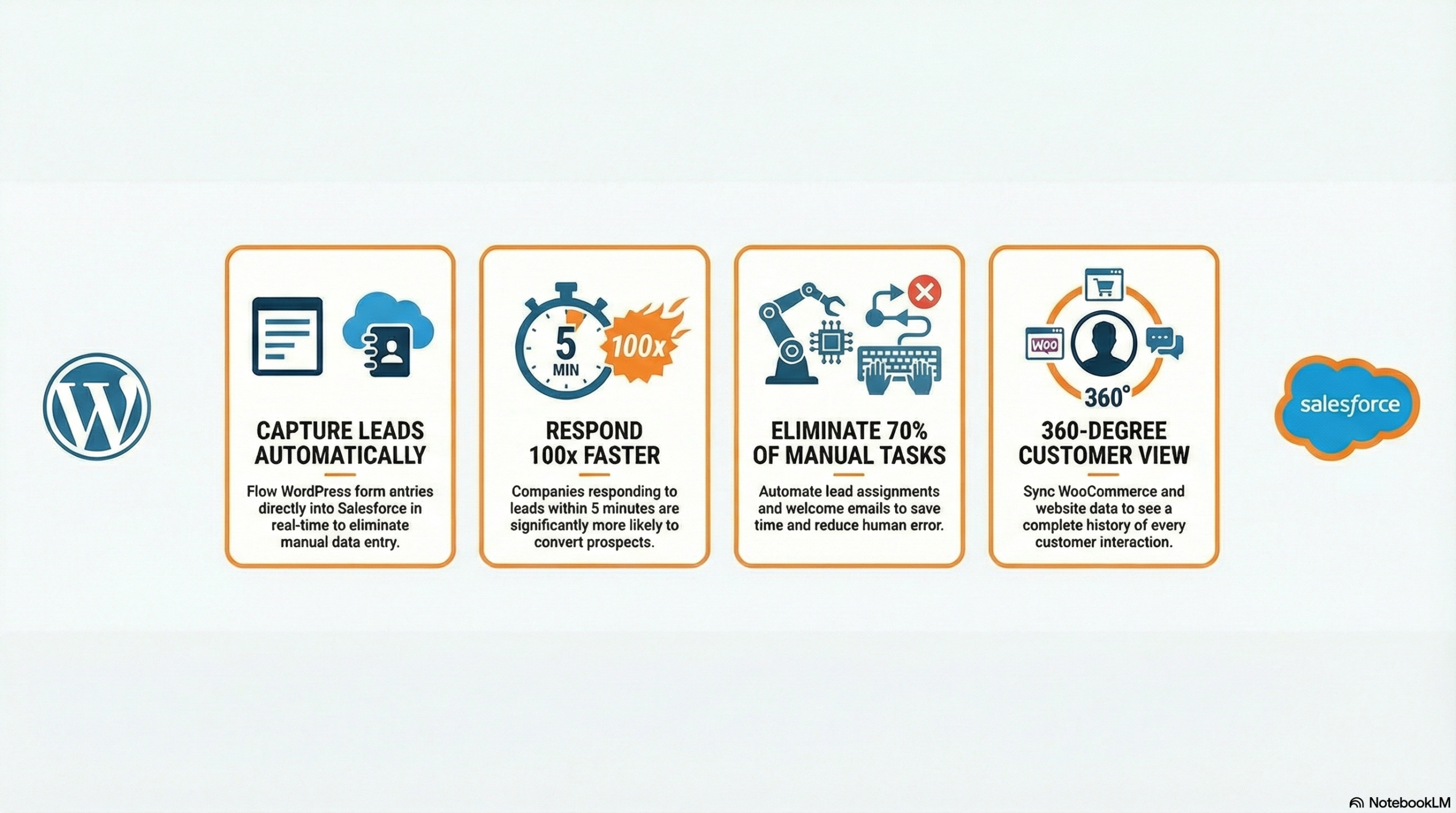
One of the biggest benefits of linking WordPress with Salesforce is capturing leads without manual effort.
Why This Matters
A “lead” is someone interested in your product or service — usually captured when a visitor fills out a form. Traditional websites collect form entries, but the data often stays in emails or spreadsheets. This causes delays, missed opportunities, and human errors.
But when you connect WordPress forms directly to Salesforce, leads flow straight into your CRM in real time.
How It Works
- A visitor fills out a contact form on your WordPress site.
- The form information automatically transfers into Salesforce.
- The lead gets categorized, assigned to a salesperson, and can even trigger automated follow-up tasks.
Example
Imagine a visitor named Priya visits your WordPress site offering digital marketing services. She fills out a “Request a Quote” form with her name, email, and requirements.
With Salesforce integration:
✔ Priya’s lead goes directly into Salesforce
✔ A sales rep immediately gets notified
✔ A task is created to follow up with Priya in 24 hours
This ensures fast response times — a key factor in increasing conversion rates.
Fact
According to Salesforce research, companies that respond to leads within five minutes are 100 times more likely to connect with a lead than those who wait 30 minutes or more. That means faster follow-ups = higher chances of turning prospects into customer.
2. Sync Customer Data Across Multiple Channels
Many businesses collect customer data from different places — website forms, email campaigns, social ads, live chat, and more. But if these systems don’t “talk” to each other, your data gets scattered into silos.
Integrating WordPress with Salesforce ensures all information flows into one organized system.
Why This Matters
When customer data is scattered:
✔ Sales reps lack context on customer behavior
✔ Marketing teams can’t personalize messages
✔ Reporting becomes unreliable
A synchronized system brings all data into Salesforce, giving a complete 360-degree view of each customer.
Use Case
Let’s say you run an online store built on WordPress using WooCommerce. When a customer buys something:
- Purchase details like items, price, date, and customer info sync to Salesforce.
- Salesforce stores order history and customer profile.
- You can use this data to:
- Segment customers (e.g., buyers vs. non-buyers)
- Send tailored email campaigns based on purchase history
- Predict future buying behavior
Real Example
Company “EcoTech,” an eco-friendly gadget seller, used Salesforce to sync customer purchases from their WordPress store. They noticed a segment of customers who bought solar chargers but never bought batteries. They created a targeted campaign offering a “Battery Combo Discount,” increasing repeat sales by 22%.
This wouldn’t be possible without accurate, synced data.
Fact
Gartner reports that organizations with strong data integration processes are 3 times more likely to improve decision-making and customer experience.
3. Automate Workflows and Improve Efficiency
Manual tasks waste time and invite mistakes. Repetitive work like sending emails, assigning leads, updating records, and creating tasks can drain resources. WordPress + Salesforce integration helps automate these workflows.
Automation Benefits
✔ Save time
✔ Reduce errors
✔ Standardize responses
✔ Accelerate sales cycles
Common Automations
Here are a few examples of automated actions:
- Assigning new leads to sales reps based on rules (e.g., region, product interest)
- Sending welcome emails automatically after a form submission
- Triggering follow-up reminders for uncontacted leads
- Creating tasks for specific follow-up steps
Example Workflow
A visitor named Rohan fills out a demo request form on your WordPress site.
Instead of manual processing:
✔ Salesforce:
- Creates a lead
- Assigns it to the appropriate sales rep
- Sends an automated “Thanks for your interest” email
- Sets a task reminder for the rep to call Rohan within 24 hours
This entire process runs in the background — instantly — without a human needing to copy and paste data.
Fact
Research shows that 70% of inefficient work is caused by manual tasks that could be automated, costing companies time and money.
By automating workflows, businesses can free staff for more strategic activities like closing deals.
4. Enhance Marketing Campaigns with Real-Time Data
Marketing is all about delivering the right message to the right people at the right time. When WordPress integrates with Salesforce, your marketing teams can access real-time data to build smarter campaigns.
Why Real-Time Data Matters
When data updates in real time:
✔ Marketing messages become more relevant
✔ Audience segments are accurate
✔ Campaigns perform better
Without real-time syncing, decisions are based on old or incomplete data.
Use Case — Smart Segmentation
Salesforce lets you segment contacts based on criteria such as:
- Last purchase date
- Form submissions
- Pages visited
- Email opens and clicks
Suppose a visitor downloaded an e-book about SEO tips from your WordPress blog. This data goes into Salesforce, which tags them as “SEO-Interested.” You can then:
- Add them to an email series with SEO content
- Offer a related course or service
- Track engagement until they’re ready to buy
This makes marketing more personalized and effective.
Example
A school running online admissions used Salesforce to track visitors who downloaded the “Admission Guide.” Marketing added these visitors to a targeted email automation offering webinars and application tips. This resulted in 35% higher conversion to enrolments compared to generic newsletters.
Fact
According to Salesforce, marketing automation drives a 14.5% increase in sales productivity and a 12.2% reduction in marketing overhead.
5. Improve Customer Support With Integrated Case Management
Customer support is vital for long-term success. Poor support leads to unhappy customers, negative reviews, and loss of business. WordPress + Salesforce integration can transform customer support by centralizing case management.
What Is Case Management?
A “case” refers to any customer request, complaint, or inquiry. Salesforce manages cases in one place so your support team can track, resolve, and analyze customer issues.
Use Case
A visitor named Aisha submits a support request on your WordPress site regarding a product issue.
With WordPress + Salesforce integration:
- Her request becomes a “case” in Salesforce.
- Support agents see:
- Customer history
- Previous interactions
- Purchase records
- Agents can respond, add notes, set priorities, assign teams, and track case status.
Why This Is Powerful
✔ Faster response times
✔ Unified view of customer history
✔ Better collaboration among teams
✔ Data for performance reporting
Now support becomes proactive instead of reactive.
Example
A tech gadget company used Salesforce cases to manage product support requests from their WordPress site. Before integration, support email was handled manually and many tickets were missed. After integration:
✔ Average response time dropped from 24 hours to 4 hours
✔ Customer satisfaction scores increased by 40%
✔ Repeat issues were identified faster
This helped the company improve product quality and customer loyalty.
Fact
Salesforce reports that companies with unified customer data improve support satisfaction scores by up to 47%.
Bonus Use Cases — Advanced Benefits
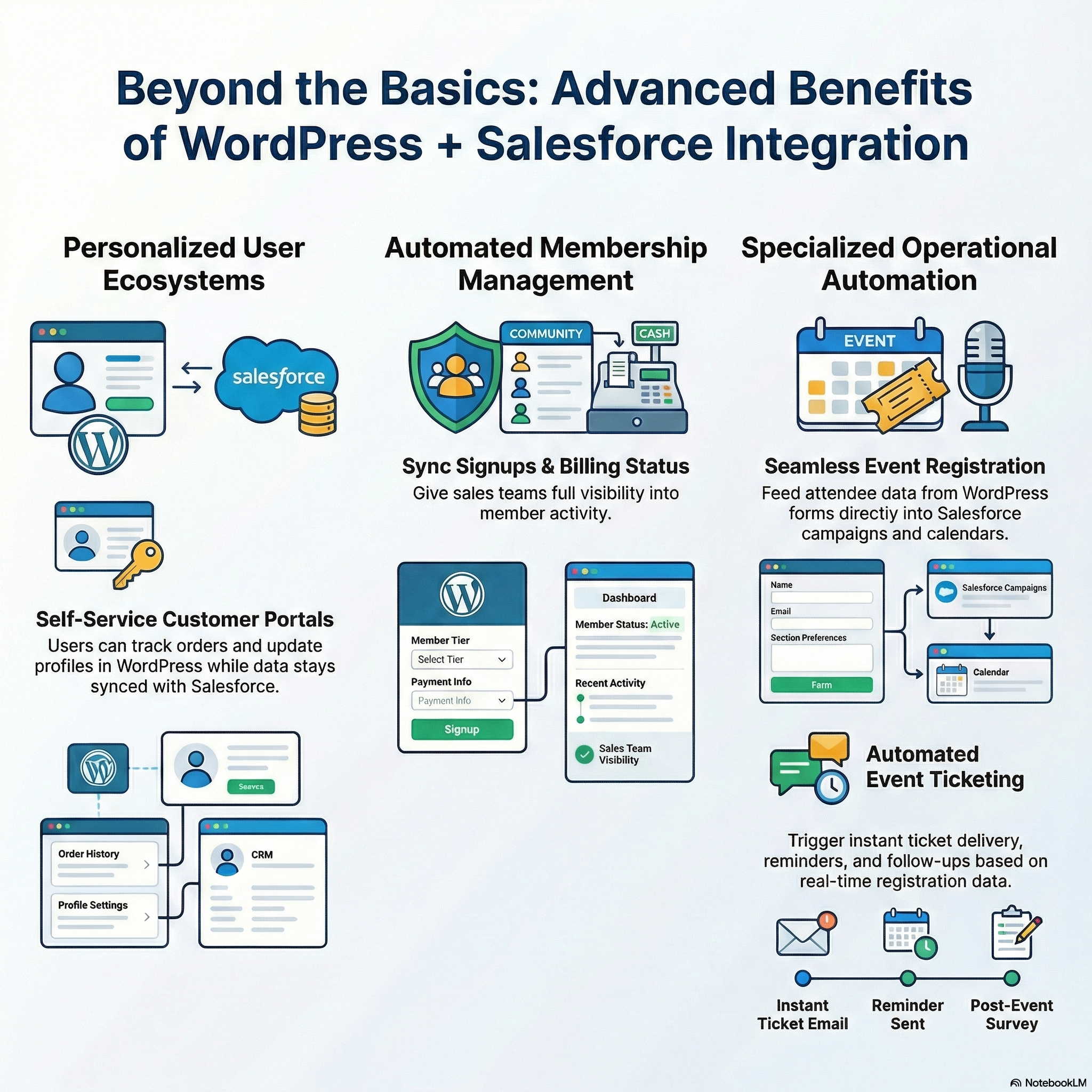
While the top 5 use cases above show the core value of WordPress + Salesforce integration, there are even more advanced possibilities:
A. Personalized Customer Portals
Integration allows customers to log in, see their history, track orders, check support tickets, and update profiles — all in WordPress, while data stays synced with Salesforce.
B. Event Management and Registration
If you host events, seminars, or webinars, forms on WordPress can feed attendee data directly into Salesforce campaigns and calendars, with automated ticketing, reminders, and follow-ups.
C. Subscription and Membership Sites
Membership signups on WordPress can sync with Salesforce, giving you full visibility into member activity, billing status, renewal dates, and personalized engagement strategies.
How to Connect WordPress With Salesforce (Overview)
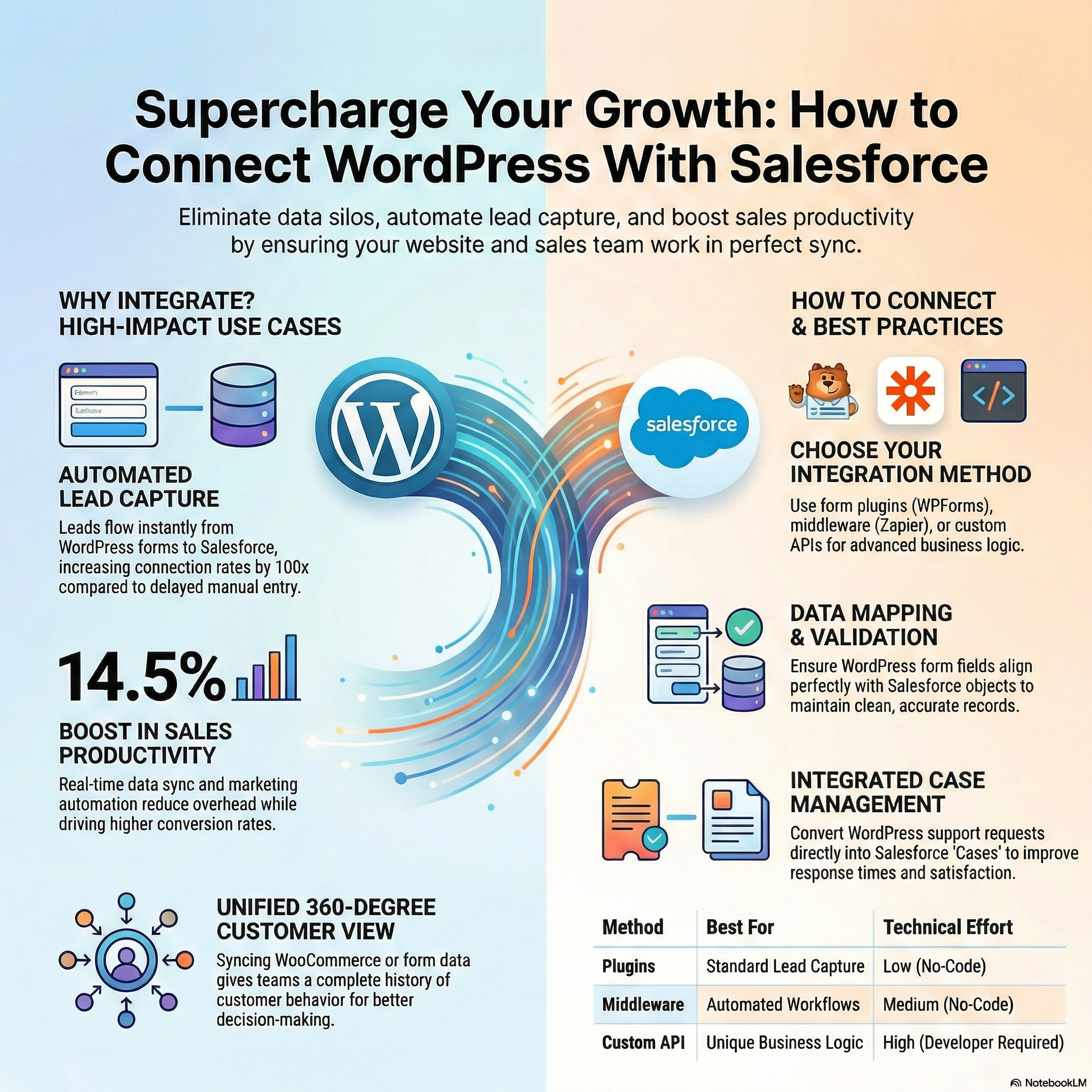
To get these benefits, you need a reliable connection between WordPress and Salesforce. Here are common approaches:
1. Plugins
There are plugins that help you map WordPress forms to Salesforce fields. Popular form builders like Contact Form 7, Gravity Forms, and WPForms have Salesforce extensions.
Example: A WPForms Salesforce addon lets you map form fields (name, email, phone) directly to Salesforce objects like Leads or Contacts.
2. Middleware Tools
Some tools act as a bridge between WordPress and Salesforce (e.g., Zapier, Integromat). They allow you to automate workflows without coding.
3. Custom API Integration
For more control and advanced use cases, developers can build custom API connections between WordPress and Salesforce — especially when you have unique business logic or data flows.
Getting the Most Out of Your Integration
To truly supercharge your CRM, here are some best practices:
✔ Map Data Carefully
Make sure every form field in WordPress correctly maps to Salesforce fields. Misaligned data causes messy records.
✔ Use Validation Rules
Validation ensures leads and contacts have correct information (e.g., email format, mandatory fields).
✔ Train Your Team
Make sure sales and support teams know how to use Salesforce records and dashboards.
✔ Monitor and Clean Data
Old or duplicate data can reduce efficiency. Regular data clean-ups improve accuracy.
✔ Measure Key Metrics
Track KPIs like lead response time, conversion rates, email engagement, and customer satisfaction to evaluate impact.
Conclusion – Why This Integration Matters
In summary, connecting WordPress with Salesforce can transform the way you manage customer relationships:
- Leads flow in automatically
- Customer data stays unified
- Manual work gets automated
- Marketing becomes smarter
- Support becomes faster and more reliable
Together, WordPress and Salesforce unlock a powerful growth engine for businesses of all sizes.
Whether you run an e-commerce store, a service business, a school, a startup, or a large enterprise — integrating your WordPress website with Salesforce CRM brings clarity, efficiency, and better customer experiences.
With integration solutions offered by DotSquares: https://wordpress.dotsquares.com/integrations/salesforce/, businesses can unlock the full power of Salesforce directly from their WordPress website — without complexity.
In today’s competitive market, smart integration is not optional — it’s essential.
Book a 30-minute Strategy Session with our Lead Salesforce Engineer. We will review your current infrastructure and outline a roadmap to integrate securely with no sales pitch, just engineering strategy.

